

Please note: Apple Account Binding will begin with tickets for the 2026-2027 Broadway Season. Ticketing remains the same as it currently is through the close of the 2025-2026 Broadway Season.
Apple Users, your mobile tickets are getting more secure.
Here's what you need to know:
What is Account Binding?
Account binding adds security to your mobile tickets by binding them to your Apple ID. This prevents unauthorized sharing while keeping the same easy entry experience you're used to.
First Time Setup
When you add your first mobile ticket to Apple Wallet after account binding is enabled, Apple will ask you to verify your Apple Account (using Face ID, Touch ID, or your password). This creates a secure connection between the ticketing organization's account and your iCloud account.
Ongoing Experience
Once set up, future tickets from The Fabulous Fox are automatically bound to your Apple Account. You don't need to authenticate again unless you're using a different device or there's a security concern.
Sharing Tickets
Always use the My Account transfer feature on The Fabulous Fox homepage.
Sharing logins, screenshots, or emails with ticket links will result in disabled passes. Everyone who needs a ticket on their device needs to set up a Fabulous Fox ticketing account, accept a transferred ticket, and add it to their own Apple Wallet.
Visual Indicators
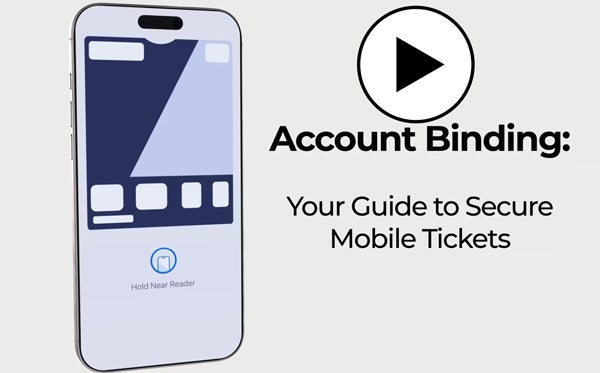
Look for the "Hold near reader" icon on your pass in Apple Wallet. This shows your ticket is properly linked and ready to scan.
If you don't see this icon:
- Check that you're signed into the same Apple Account used when first adding tickets
- Try removing and re-adding the ticket from Apple Wallet
- Ensure you're connected to wi-fi or cellular data
- If problems persist, contact The Fabulous Fox support
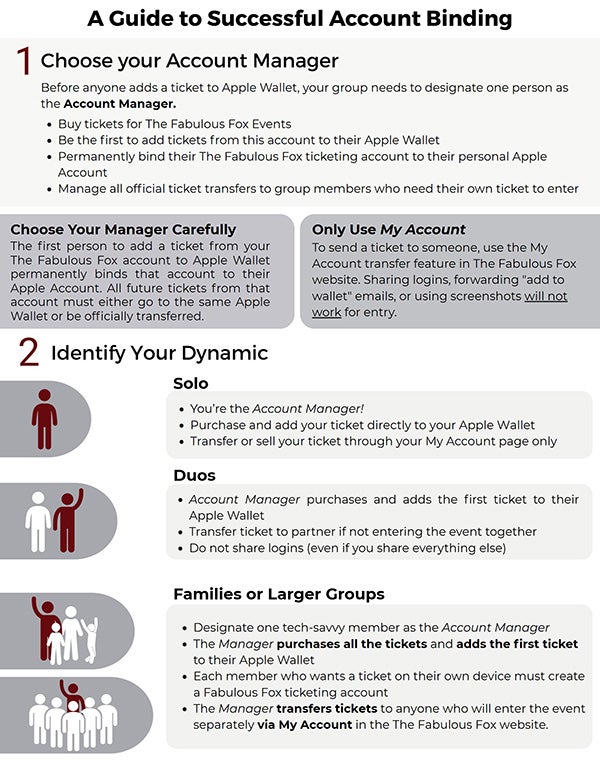
A Guide to Successful Account Binding
Apple Account Binding Guest FAQs
What is Apple Acount Binding?
As Apple introduces more privacy and security-oriented features to Apple Wallet, they are implementing new functionality called Apple Account Binding, which provides extra security for event passes, gift cards, and loyalty cards added to Apple Wallet.
Please note that this change affects only NFC (tappable) tickets on iOS 16.4 and later.
How does Apple Account Binding affect my ticketing account?
When you first add a ticket to Apple Wallet, your ticketing account will be bound to a single Apple ID and Apple Device. Once bound, you cannot bind your ticketing account to a different Apple account. Multiple ticketing accounts can be bound to a single Apple account.
My ticket says “Activating” in my Apple Wallet. What should I do?
An “Activating” sign indicates that there may be an issue with the ticket. Please connect with your event venue for next steps on resolving the issue.
My ticket says “Pass Disabled” in my Apple Wallet. What should I do?
A “Pass Disabled” sign indicates that the account has been associated with a different Apple ID. Please connect with the event venue for next steps on resolving the issue.
What's the recommended process for adding tickets to Apple Wallet?
- For first-time users, we recommend adding just one ticket initially to ensure the binding process works correctly.
- After successful binding of the first ticket, you can proceed to add additional tickets.
- You can use the "Add All to Wallet" feature in My Account after the initial setup.
How can I share tickets with others?
The best process for sharing tickets is Ticket Transfer using My Account.
This remains true after account binding. Due to Apple’s Account Binding security features, you cannot share tickets by forwarding emails. All ticket sharing must be done through the official ticket transfer process. This ensures the security and validity of all tickets in Apple Wallet.